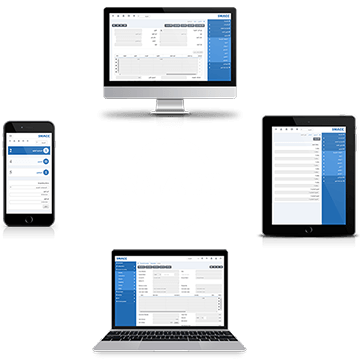
Transaction Viewer
من خلال عرض العمليات يمكنك عرض و طباعة جميع العمليات المدخلة على النظام
January 9th, 2017
Return
In return, you can add new date entries of return cheques. You can update, delete the information.
January 9th, 2017
Clear
In clear, you can add new data entries of clearing cheques. You can update, delete the information.
January 9th, 2017
Data Entry
In data entry, you can add new data entries of cheques. You can update, delete, and print the information.
January 9th, 2017
Return
In return, you can add new date entries of return cheques. You can update, delete the information. Searching Post Dated Cheques to Return. To search “Post Dated Cheques” to “Return”, click on the “Financial Accounting”, then “Transactions”, then “Post Paid Cheques”, then click “Return”. Return page will be displayed. Check the “Alert Dates:”…
January 9th, 2017
Bounce
In bounce, you can add new date entries of bounced cheques. You can update, delete the information. Searching Post Dated Cheques to Bounce. To search “Post Dated Cheques” to “Bounce”, click on the “Financial Accounting”, then “Transactions”, then “Post Paid Cheques”, then click “Bounce”. Bounce page will be displayed. Check the “Alert Dates:”…
January 9th, 2017
Deposit
In deposit, you can add new data entries of deposited cheques. You can update, delete the information. Searching Post Dated Cheques to Deposit. To search “Post Dated Cheques” to “Deposit”, click on the “Financial Accounting”, then “Transactions”, then “Post Dated Cheques”, then click “Deposit”. Deposit page will be displayed. Check the “Alert Dates:”…
January 9th, 2017
Data Entry
In data entry, you can add new data entries of post dated cheques. You can update, delete, and print the information. Adding new Data Entry in Post Dated Cheques. To add new "Data Entry” in “Post Dated Cheques”, click on the “Financial Accounting”, then “Transactions”, then “Post Dated Cheques”, then click “Data Entry”. Post…
January 9th, 2017
Credit Notes
اشعار مدين: في "اشعار مدين" ، يمكنك إضافة اشعارات مدينه جديدة ويمكن تحديث،وحذف، وطباعة المعلومات . إضافة اشعار مدين في المحاسبة المالية. انقر على "المحاسبة المالية"، ثم "العمليات"، ثم "اشعار مدين"، سيتم عرض صفحة اشعارات مدينه . انقر على زر "إضافة جديد" في اعلى يمين صفحة اشعارات مدينه . اولا…
January 9th, 2017
Debit Notes
اشعارات الخصم: في "اشعارات الخصم" ، يمكنك إضافة اشعارات الخصم جديدة ويمكن تحديث،وحذف، وطباعة المعلومات . إضافة اشعار خصم في المحاسبة المالية. انقر على "المحاسبة المالية"، ثم "العمليات"، ثم "اشعارات الخصم"، سيتم عرض صفحة اشعارات الخصم . انقر على زر "إضافة جديد" في اعلى يمين صفحة اشعارات الخصم . اولا…
January 9th, 2017