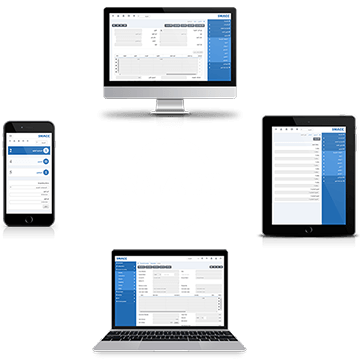
Global Setup
The global setup defines the global setting of the POS Management module. It allows the functionalities of different kinds. The administrator will define the settings of this module and these settings are fetched in Desktop, Android, and iOS applications. Setting the Global Setup To configure the settings of the…
January 2nd, 2021
Terminal Display
The terminal display defines the setting, updating, and deleting of login and password for the terminal displays. Two types of terminal displays are customer display and kitchen display. Customer display is for customers whereas the kitchen display is for the kitchen management viewed by the kitchen manager. Adding Terminal…
January 2nd, 2021
Printer Groups
The Printer groups define the printer groups for the POS Management module. You can add, update, or delete a printer group. Adding Printer Groups To add a printer, go to POS Management > Masters > Printer Groups, the printer groups page is displayed. Click on Add New at the…
January 2nd, 2021
Receipt Setup
The receipt setup defines the settings (image, headings, and footers) of the POS Management’s receipts for the Desktop, Android, or iOS applications. Setting the Receipt Setup To set the receipts set up, go to POS Management > Setup > Receipt Setup, the receipt setup page is displayed. Click on…
January 2nd, 2021
Item Groups
The item group contains information about specific items. In the item groups, you can add, update, delete, and view item group information. The item groups made in this section will be fetched in the desktop application of POS. Item groups are also used in the Android and iOS applications. …
January 2nd, 2021
Users
In the user setup, you can add, update, and delete user details. This module of POS Management in the SMACC cloud also supports the SMACC POS Desktop Application. Setting the User To set the user, go to POS Management > Masters > Users, the Users page is displayed. Click the…
January 2nd, 2021
Counters
In counter setup, you can add, update, and delete counter details for POS Management in SMACC. This module of POS Management in the SMACC cloud also supports the SMACC POS Desktop Application. Setting the Counter To set a counter, go to POS Management > Masters > Counters, the Counters page is…
January 2nd, 2021
Unposted Invoices
Unposted Invoices allow you to view the invoices that are not successfully posted to the server because of any reason like no internet connection. Viewing the Unposted Invoices To view the posted invoices, go to POS Management > Reports > Unposted Invoices, the Unposted invoices page is displayed. Date…
January 2nd, 2021
Posted Invoices
The posted Invoices allow you to view the invoices that are successfully posted to the server. Viewing the Posted Invoices To view the posted invoices, go to POS Management > Reports > Posted Invoices, the posted invoices page is displayed. Date From: This field sets the Starting Date of…
January 2nd, 2021
Holded Invoice
The Holded invoice shows the report of invoices held by the SMACC POS Management system. There are three types of Posted Transactions, Unposted Transactions, and all Transactions. Viewing the Holded Invoice To view the holded invoice, go to POS Management > Reports > Holded Invoice, the holded invoice page…
January 2nd, 2021